Unlock Hidden Tricks to Update WordPress Like a Pro and Shield Your Site from Cyber Threats!

Clicking either link takes you to the WordPress Updates page, where you can update everything in one place. You can also see specific notifications within your Plugins tab next to any tool that requires an update.
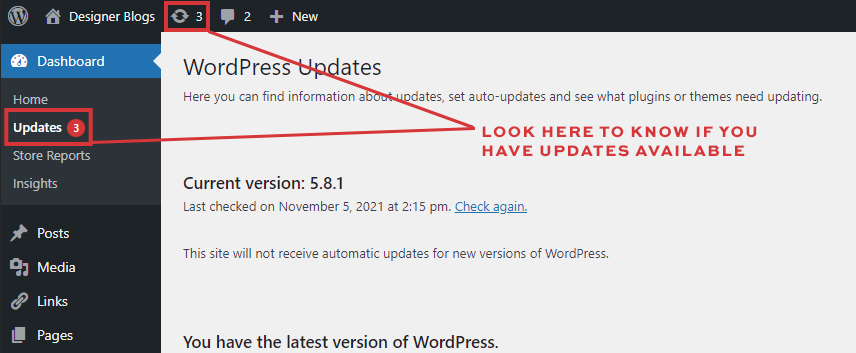
How to Update WordPress
Before attempting any updates, remember to backup your database. It’s also wise to plan to do your updates at a time when your traffic is at its lowest because your site may appear in maintenance mode for a few seconds during the updates.
When you are ready, visit your “WordPress Updates” page to perform your updates.