Unlock Hidden Tricks to Update WordPress Like a Pro and Shield Your Site from Cyber Threats!

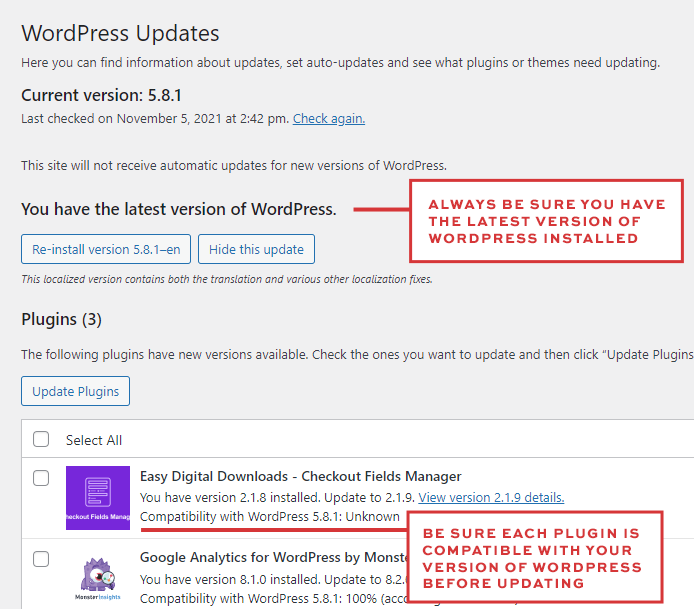
Once here, just click on any items listed here and click the update button.
WordPress Version
Check your WordPress core first. Most sites now use an auto-update system for minor releases, but if a manual update is available, click the update button to ensure you have the latest security patches.
Plugins
You can update all plugins at once, but I recommend updating them individually. Check your site between each update; if a glitch occurs, you’ll know exactly which plugin caused it. Always verify that the plugin is compatible with your current WordPress version before clicking “Update.”