Unlock the Secret Formula to Building a Blog That Earns You Money Automatically – Even Overnight!
Then, here’s how to get set up
with your hosting:
1. Under the Web Hosting Launch column, click Sign Up Now.
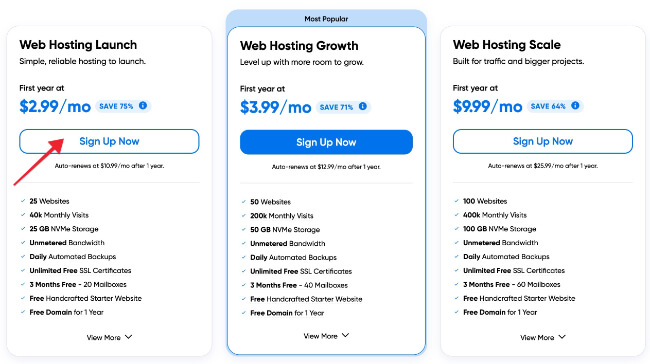
Note: The Launch plan is the cheapest and comes with unmetered bandwidth. That should be enough for any new blog.
2. Select I already have a domain.

3. On the next screen: Enter the domain name that you purchased at Namecheap in the box and click Assign.
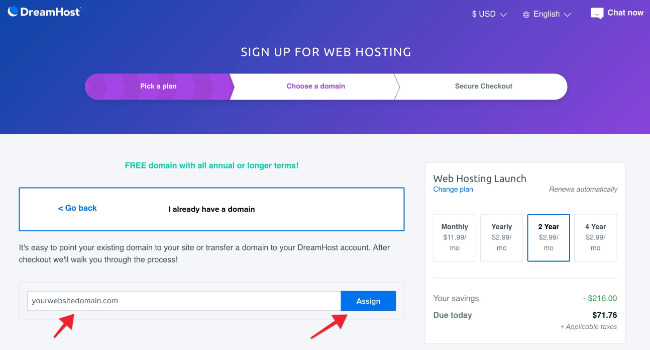
Then, you’ll see the final screen
where you need to:
- Add your billing information
- Choose your payment method
The price you pay for hosting will depend on the plan you choose. Yearly, bi-yearly and 4-yearly plans offer far higher discounts over monthly, for example. And the longer the term, the longer you’ll secure your discount for.