Unlock the Secret That Lets You Move Your Website Without Losing Anything—Ever!
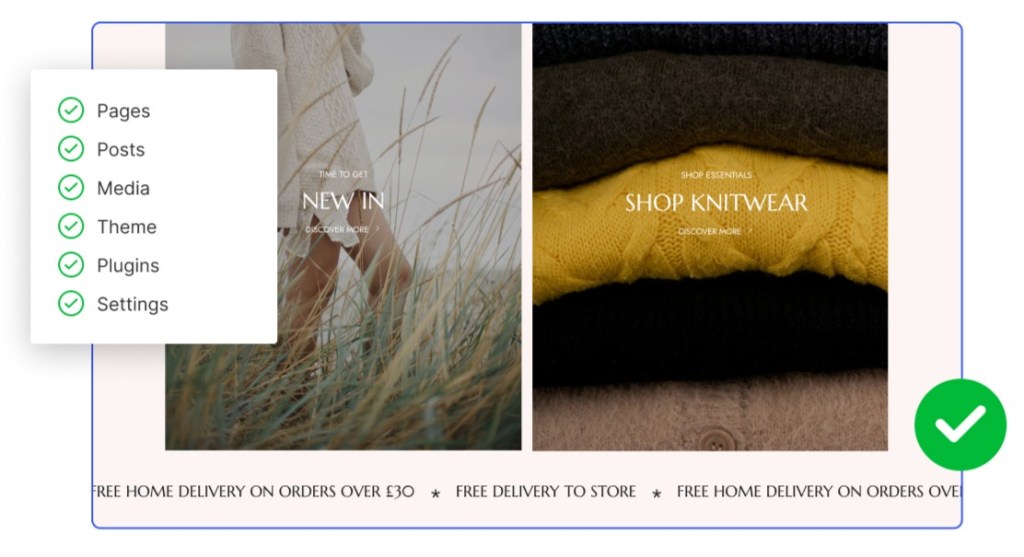
- Your pages, blog posts, text, and images.
- Your design: layout, colors, fonts, header, logo, and menu, as close to the original as we can get them.
- The links between your pages, so your site still flows the way you built it.

How to transfer your site to WordPress
From your existing website to a new home on WordPress.com, here’s how the move works:
- Paste your site’s address: That’s all we need to get started; no files to download.
- Pick a plan that fits: Plans start at $4 a month, billed yearly ($48 for the year), and every plan includes plugins, custom themes, a free domain name for your first year, and hosting that stays up when traffic spikes.
- We handle the move for you: Your pages, images, and design come over as a WordPress site. Close the tab, and we’ll email you when it’s ready.
- Check it and make it live: Open your new site next to your old one, then connect your domain name. A checklist walks you through it.
Once your new site is ready, it’s worth checking the details that help visitors find you after the move.
Keep your traffic and your content
Moving your website shouldn’t mean losing the people who already know where to find you.
Your old site stays live while you review the new one, and you decide when to switch. You can keep the same domain name, and if any page addresses change, redirects help visitors and search engines reach the right place.






Post Comment