Unlock Hidden Secrets in WordPress Agent’s Latest Update—Transform Your Workflow Overnight!
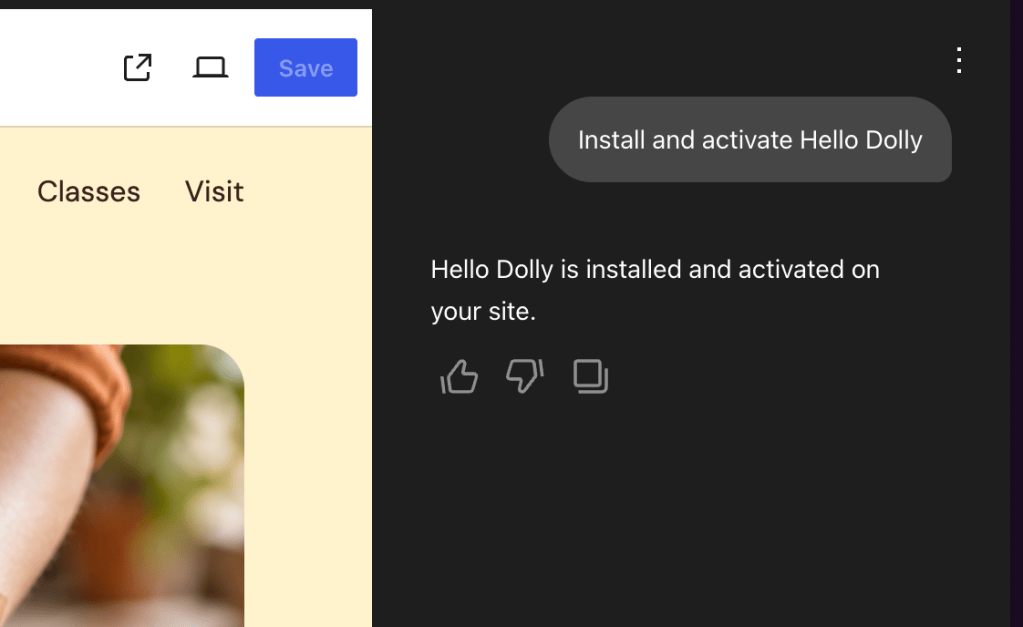
- Preview shows your site the way a visitor sees it.
- Edit lets you change your text right on the page.
This dual editing mode is helpful to quickly preview the changes you make.

The WordPress Agent is also there. Ask it to rewrite a headline, add a section, or change something you don’t love, and it makes the change for you. Or skip the chat and make the edits yourself in Edit mode. Either way works.
Annotate mode makes it even easier. Highlight the specific parts of your site you’d like to change, stack several edits together, and send them to the Agent in one go.

You can open the AI Editor under Appearance → AI Editor, or the full Site Editor under Appearance → Editor.

Note: The AI Editor is enabled by default if you built your site with the WordPress Agent. To use the AI Editor on an existing site on a paid plan, you’ll need a block theme and to enable the WordPress Agent. See the AI Editor setup guide for instructions.
Install, activate, and update plugins by asking
Need a contact form, better SEO, or a way to take payments? Ask the agent. It recommends plugins that fit what you’re trying to do, then installs and activates them right in the chat. You can also ask it to update the plugins you already have.
You get the flexibility of the WordPress plugin library without the research and setup.

A site that knows you from the first chat
While it builds your site, the agent also generates guidelines for you. These cover your site’s purpose and audience, your tone and voice, your image style, and more.
After that, every conversation starts with a memory about who you are, what your business does, and what you want your site to achieve. You don’t have to re-explain yourself each time.









Post Comment