Unlock Hidden Secrets: Effortlessly Export E-book Notes to Your Computer Like a Pro
Step 4: Choose Your Export Option
Assuming you want to e-mail your Notes to yourself, choose the Email option on the dialog box.
The image below shows a screen capture showing the dialog box at the bottom of the screen. I’ve drawn in a red arrow that points to the Email button in the dialog.
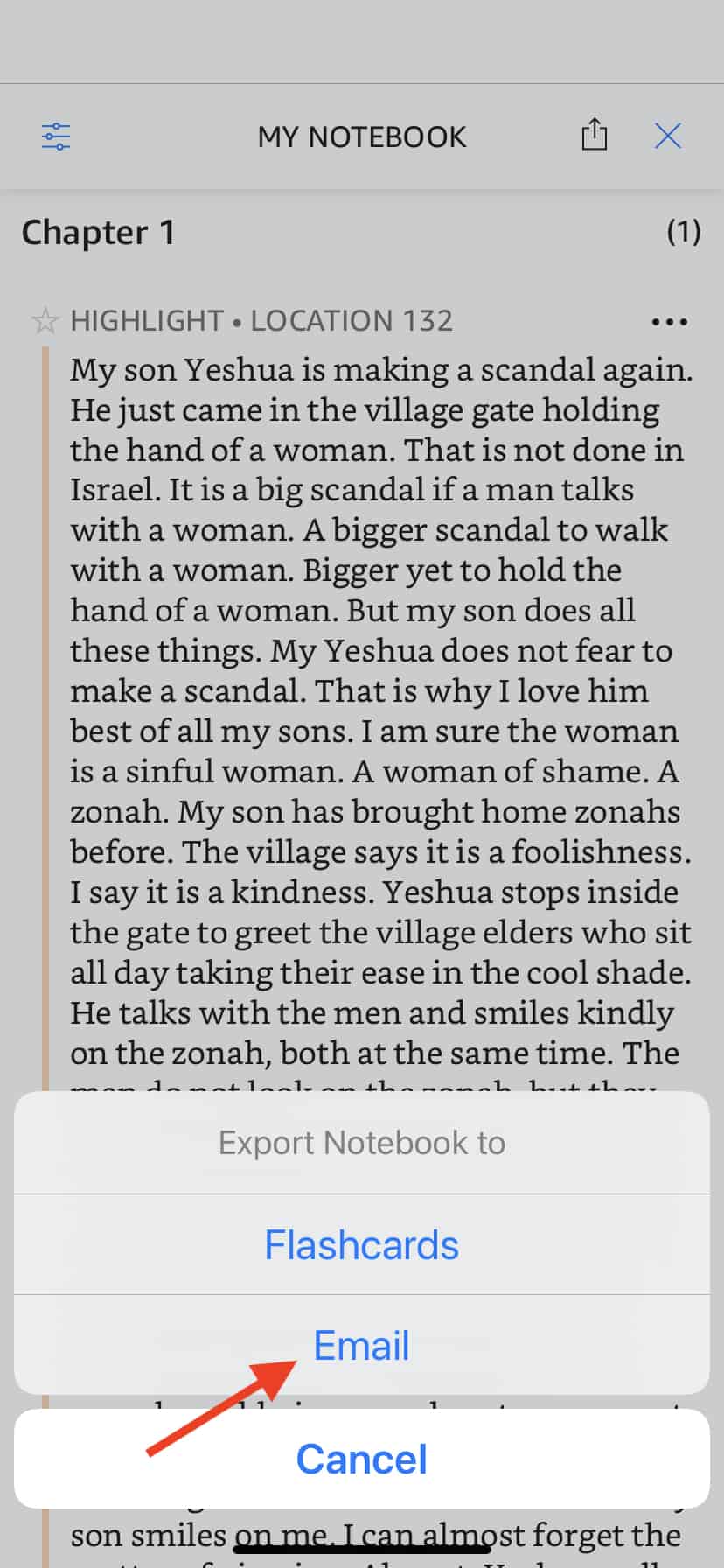
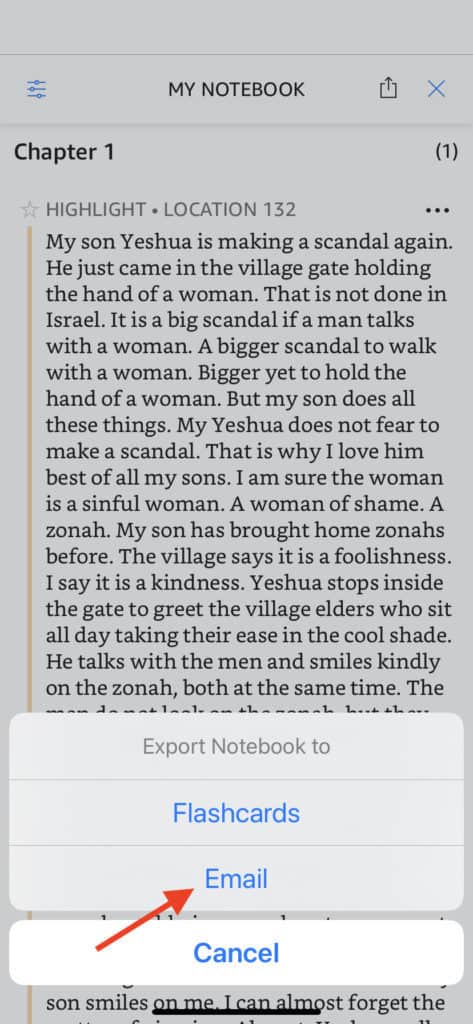
When you select the Email option, an Export Notebook page pops up that lets you choose how you’ll format the citation of your Notes.
Step 5: Choose your Citation Option and Export Your Notes
Choose whichever citation style you like best. The default style is None.