Unlock Hidden Secrets: Effortlessly Export E-book Notes to Your Computer Like a Pro
Step 7: Reformat Your Notes
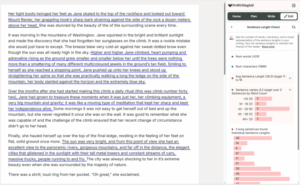
As we saw earlier, the paragraphs in your Notes are all smushed together. You may need to do some reformatting to make the Notes look nice.
Do whatever reformatting you need to do.
That’s all!
Your e-book reader and your computer system may be different from mine, so the steps you take may be a bit different. But the process above should inspire you to figure out the exact set of steps to transfer notes from your e-book reader to your computer. If you run into problems, you may need to use a search engine to find exactly how to do the job on your e-reader and your computer.