Unlock Hidden Secrets: Effortlessly Export E-book Notes to Your Computer Like a Pro
Once you’ve chosen the citation style, click the Export button in the upper right corner of the Export Notebook page.
The image below shows a screen capture of the Export Notebook page. I’ve drawn in a red arrow that points to the Export button.

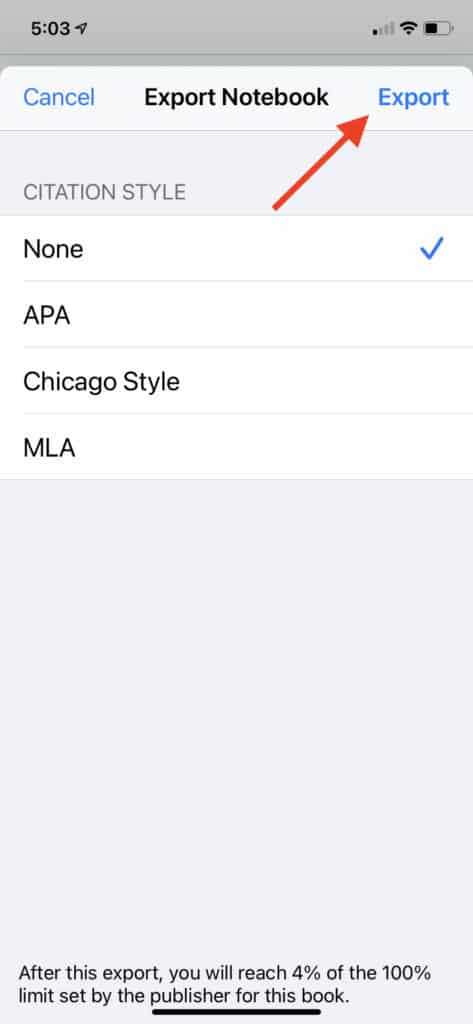
You’ll notice at the bottom of the screen there’s a line of text that tells you how much of the book you have exported as Notes, including the Notes you’re about to export. The publisher of each book sets a limit on the amount of text you can export as Notes. The Kindle app won’t let you export more than that.